

Recent Posts
Share Post
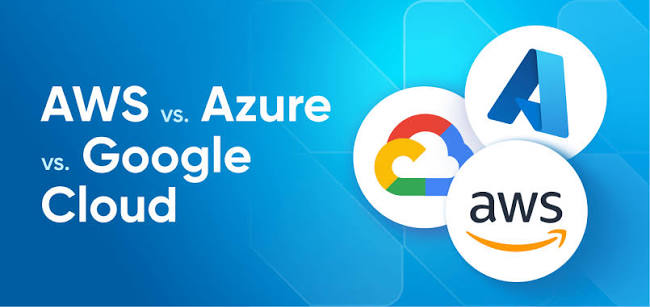
AWS vs Google Cloud vs Microsoft Azure: Which Cloud Platform Should You Learn in 2026?
Cloud computing has become an essential part of modern IT infrastructure. From startups to large enterprises, organizations use cloud platforms to host applications, store data, improve scalability, and reduce infrastructure management overhead.
Three of the most widely used cloud platforms are Amazon Web Services (AWS), Google Cloud Platform (GCP), and Microsoft Azure. Each platform offers powerful tools, but choosing the right one depends on your career goals, technical interests, and the skills employers need. In this guide, we will explore the key differences between AWS, Google Cloud, and Azure to help you decide where to start your cloud computing journey.1. What Is Amazon Web Services (AWS)?
Amazon Web Services is a comprehensive cloud platform offering computing, storage, databases, networking, security, and many other services. Popular AWS services include:- Amazon EC2: Run virtual servers in the cloud.
- Amazon S3: Store and retrieve files and objects.
- Amazon RDS: Manage relational databases.
- AWS Lambda: Run code without managing servers.
- Amazon VPC: Create isolated virtual networks.
2. What Is Google Cloud Platform (GCP)?
Google Cloud provides cloud infrastructure, data analytics, application hosting, networking, and machine learning services. Some important GCP services include:- Compute Engine: Run virtual machines.
- Cloud Storage: Store files and application data.
- Google Kubernetes Engine (GKE): Deploy and manage containerized applications.
- BigQuery: Analyze large datasets.
- Cloud Run: Deploy applications and services in a managed environment.
3. What Is Microsoft Azure?
Microsoft Azure is a cloud computing platform that supports application development, infrastructure management, databases, identity management, and enterprise workloads. Popular Azure services include:- Azure Virtual Machines: Run cloud-based virtual servers.
- Azure Blob Storage: Store unstructured data.
- Azure SQL Database: Use a managed relational database.
- Azure Functions: Run event-driven serverless code.
- Microsoft Entra ID: Manage identities and access.
4. AWS vs GCP vs Azure: Key Differences
| Feature | AWS | Google Cloud | Microsoft Azure |
|---|---|---|---|
| Core strength | Broad cloud services | Data and cloud-native technologies | Enterprise and Microsoft integration |
| Compute | Amazon EC2 | Compute Engine | Azure Virtual Machines |
| Object storage | Amazon S3 | Cloud Storage | Azure Blob Storage |
| Kubernetes | Amazon EKS | Google Kubernetes Engine | Azure Kubernetes Service |
| Serverless | AWS Lambda | Cloud Run and Cloud Functions | Azure Functions |
| Ideal learning focus | Infrastructure and DevOps | Data, Kubernetes, cloud-native systems | Enterprise and hybrid cloud |
5. Which Cloud Platform Should Beginners Learn First?
If you are new to cloud computing, begin by learning the fundamentals: networking, operating systems, storage, security, virtual machines, and cloud architecture. Then consider your interests: Choose AWS if you want a broad introduction to cloud infrastructure, deployment, and DevOps workflows. Choose Google Cloud if you are interested in data platforms, Kubernetes, and cloud-native application development. Choose Azure if your learning goals involve Microsoft technologies, enterprise infrastructure, and hybrid cloud. You do not need to master all three platforms at once. Build a strong foundation in one platform before expanding your knowledge.6. Why Hands-On Projects Matter
Reading documentation is useful, but practical experience helps you understand how cloud services work together. Try building projects such as:- Hosting a static website using cloud storage.
- Deploying a web application on a virtual machine.
- Configuring access permissions and security rules.
- Creating a basic CI/CD pipeline.
- Deploying a containerized application.
- Monitoring application performance and resource usage.